 MAGNET
The AI to-do list that schedules your day.
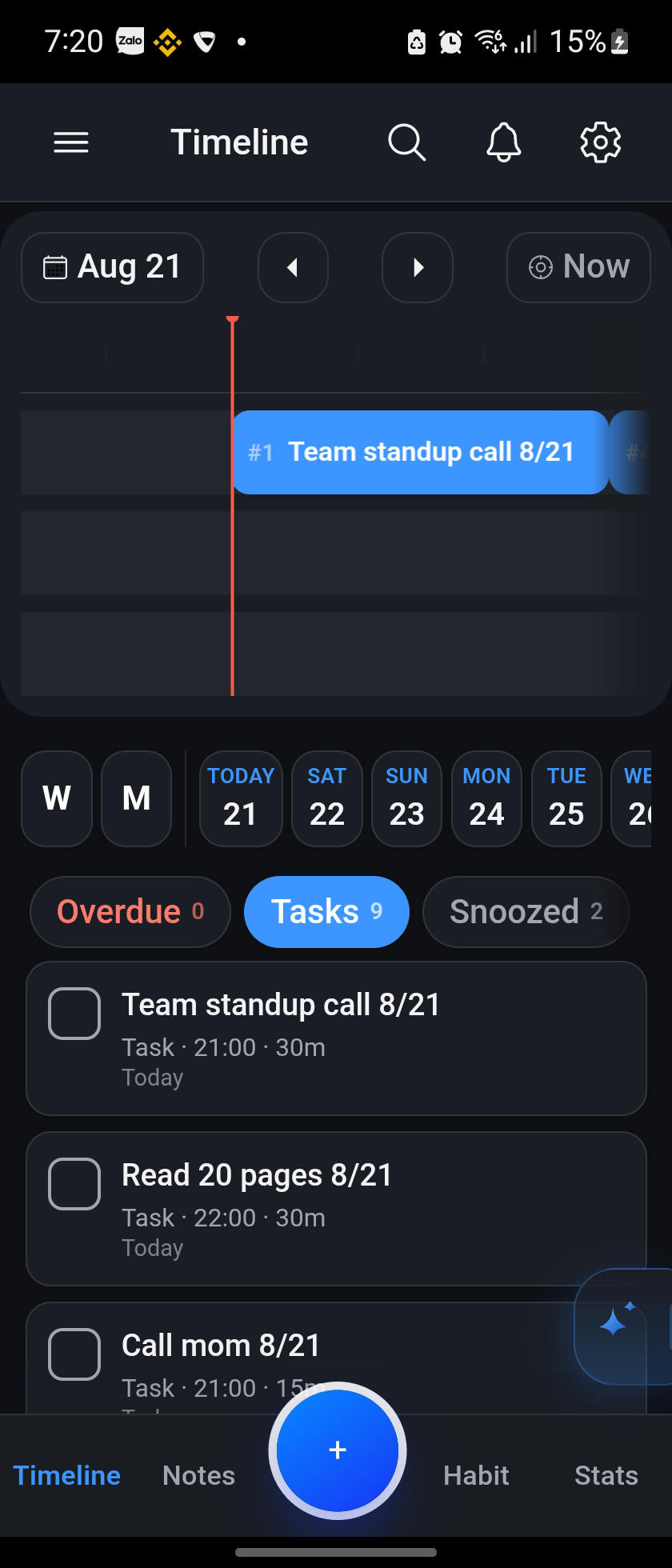
Add a task with a deadline and how long it takes. Magnet weighs priority, deadline pressure, and what's already booked, then places it on your timeline automatically — and shows you exactly where and why.
Less babysitting, more doing
Most planners just hold whatever you type in. Magnet does some of the deciding for you.
A timeline that does the scheduling for you
Add a task with a deadline and how long it takes, and Magnet places it on your timeline automatically — weighing priority, deadline pressure, and what's already booked. Overdue, snoozed, or locked to a specific time window — Magnet shows you exactly where and why, instead of leaving you to guess.
- Mode: None, Only, or Prefer — control exactly how strictly a task holds its time
- Overdue and Snoozed tracked as their own counts, so nothing quietly disappears
- Master Filter combines tags, status, priority, and time range in one panel
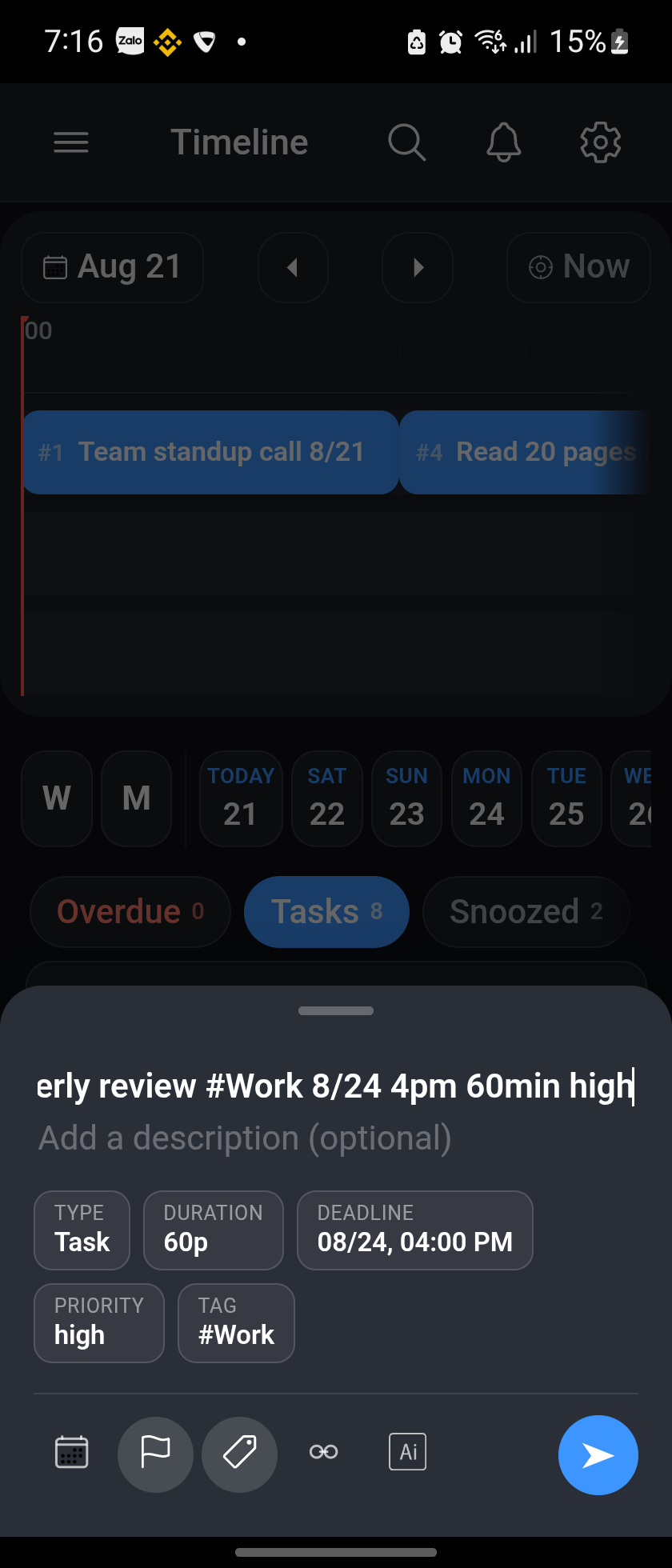
Type it like a sentence
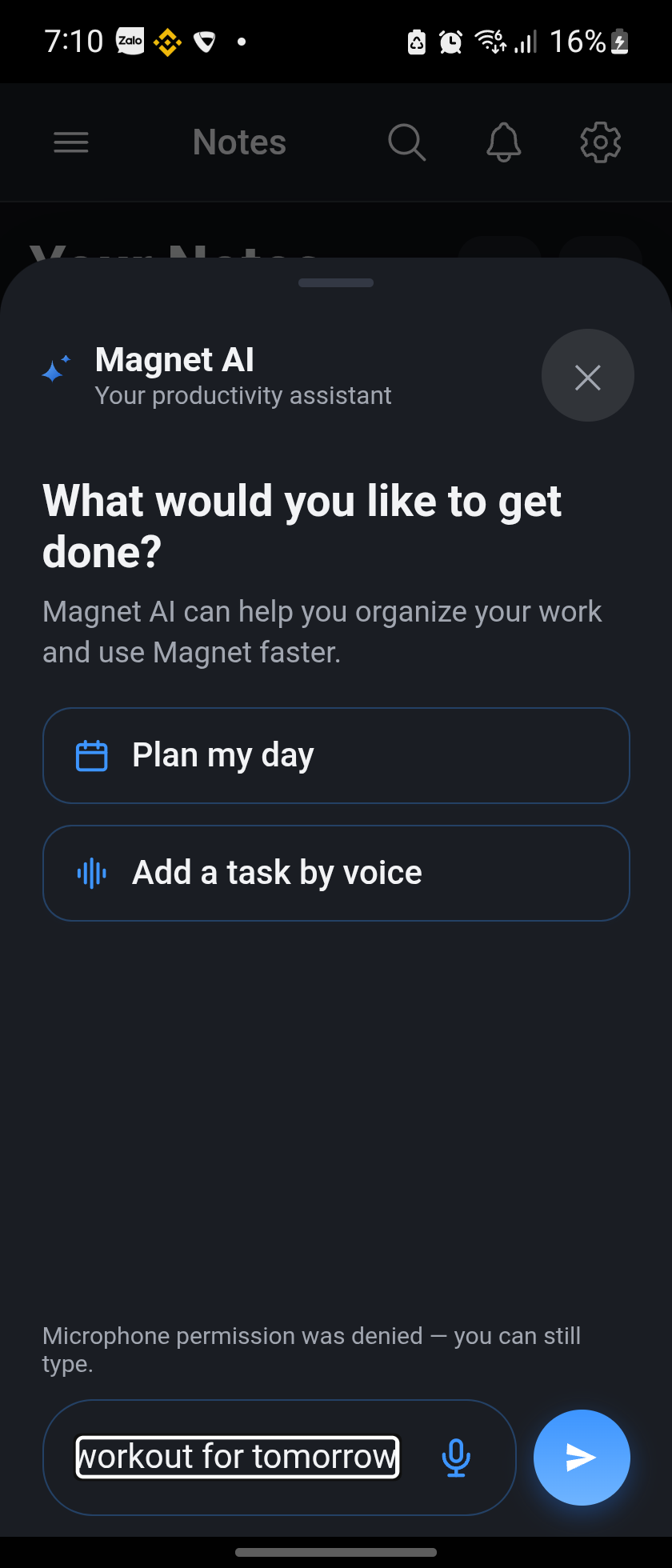
Type "team sync tomorrow 3pm 30min #work" and Magnet parses the date, duration, and tag on its own — no separate fields to fill in. Open the Magnet AI assistant to plan your day, summarize a note, or turn a rough idea into a scheduled task — typed or by voice.
- Natural-language parsing built right into quick add
- A dedicated Magnet AI assistant for bigger planning questions, typed or by voice
- Turns a rough idea into a fully scheduled task in seconds
Habits that fit real life, not just a checklist
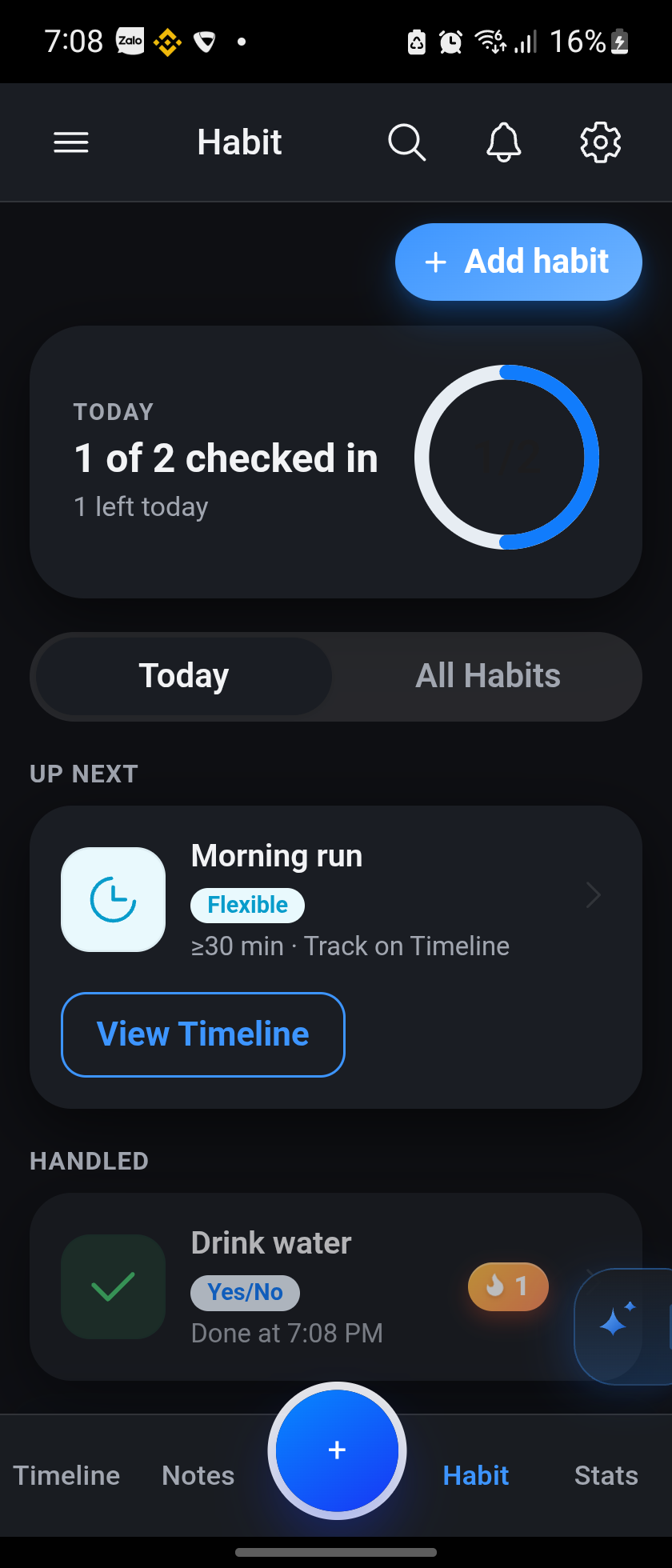
Three habit types, not one: simple Yes/No check-ins, fixed-time scheduled habits, or flexible habits — like "meditate 15 min, sometime before noon" — woven into your timeline alongside your tasks. Streaks and a daily progress ring keep you honest.
- Yes/No, Fixed-time, or Flexible — pick what fits each habit
- A daily "checked in" ring, plus reactions on each check-in
- Flexible habits show up as "Track on Timeline"
Notes that turn into action
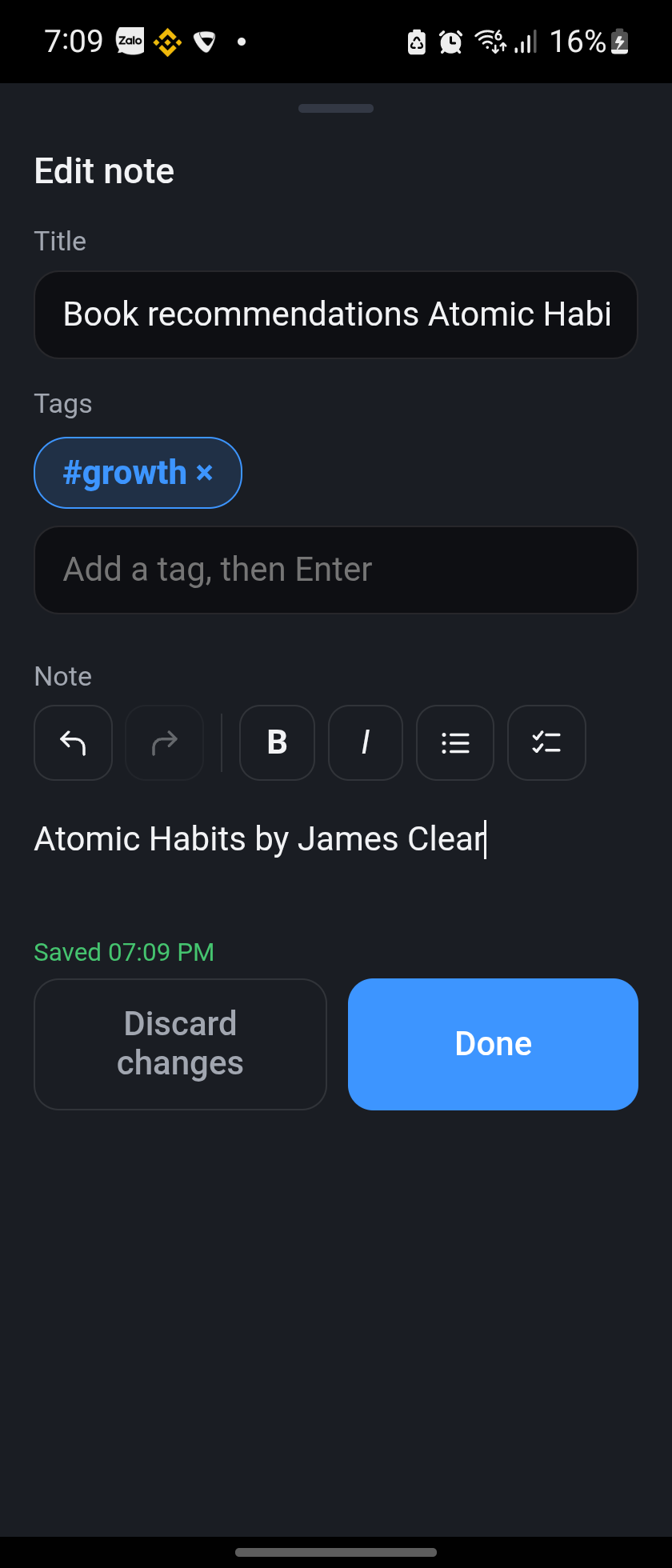
Quick-capture notes with tags and pinning, or open the full editor for rich-text formatting — bold, italic, bullet and checklist — with autosave and full undo/redo built in.
- Autosave with a visible timestamp, plus full undo/redo history
- Tag and pin notes, then filter by tag
- Quick-capture bar to jot an idea before it slips away
No mockups — this is the real app
Actual screenshots, straight from the device.
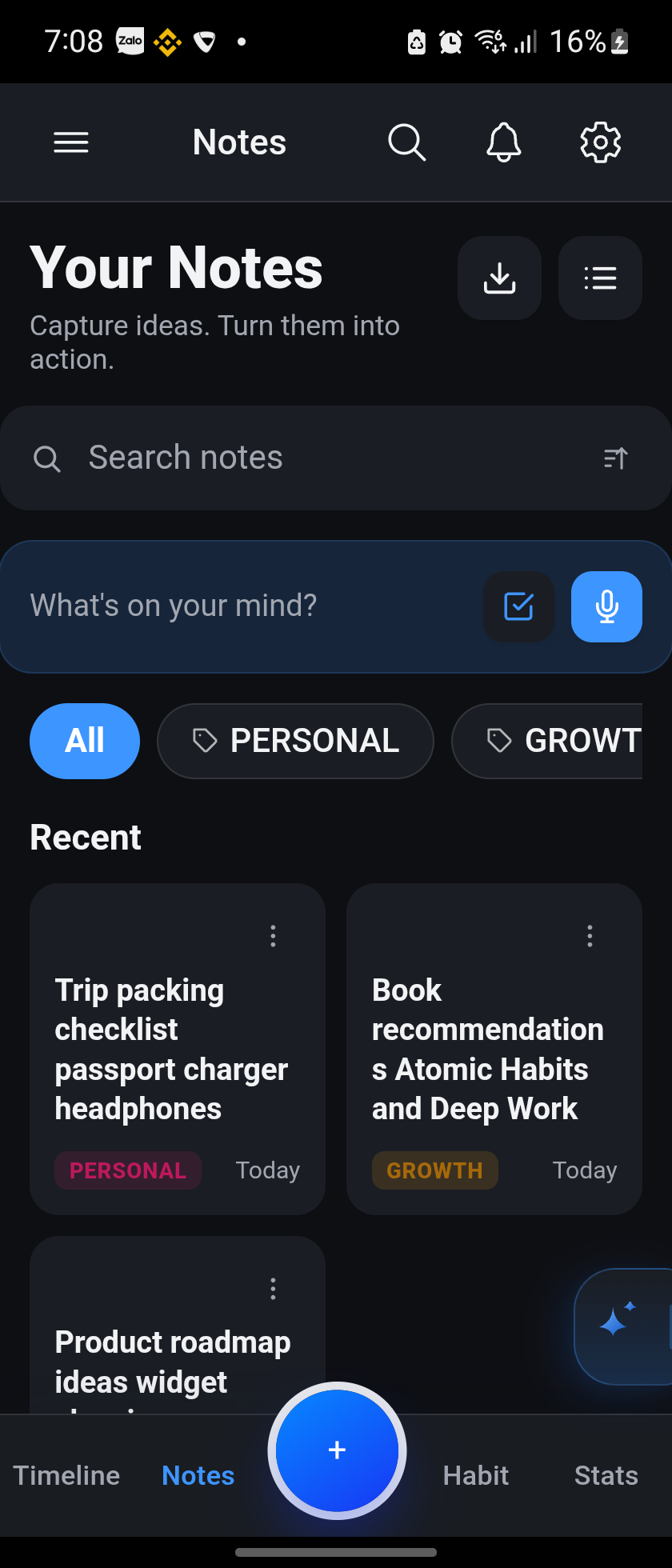
Notes — tags, pinning & quick capture
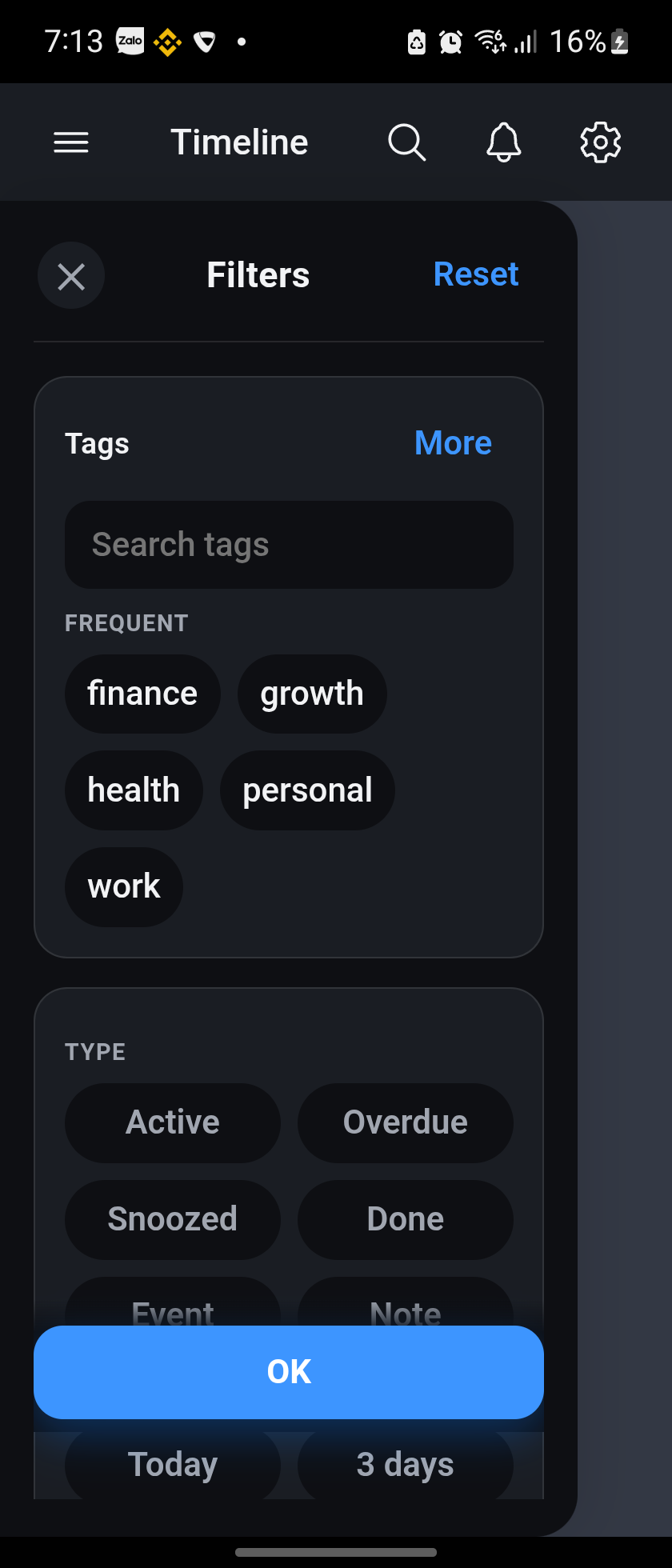
Master Filter — tags, status, priority & time range
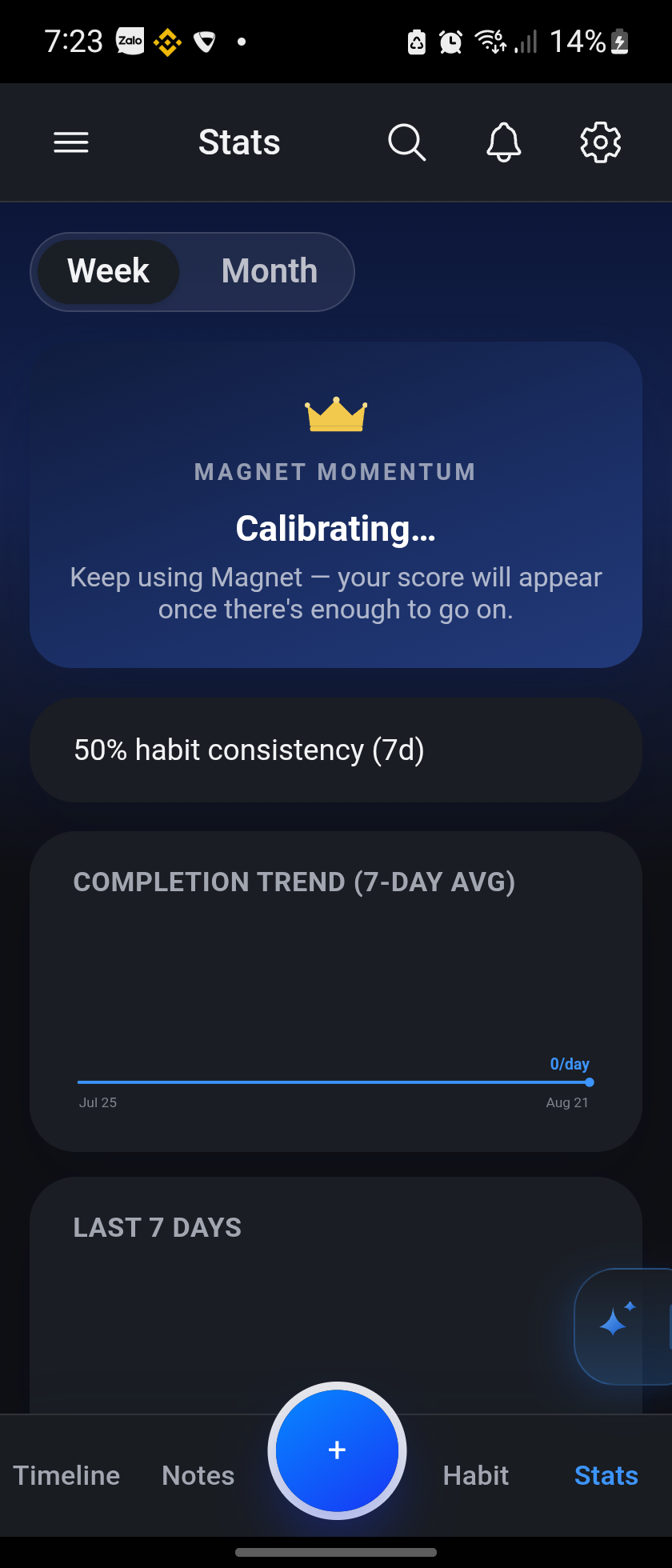
Momentum & Stats — completion trend, habit consistency
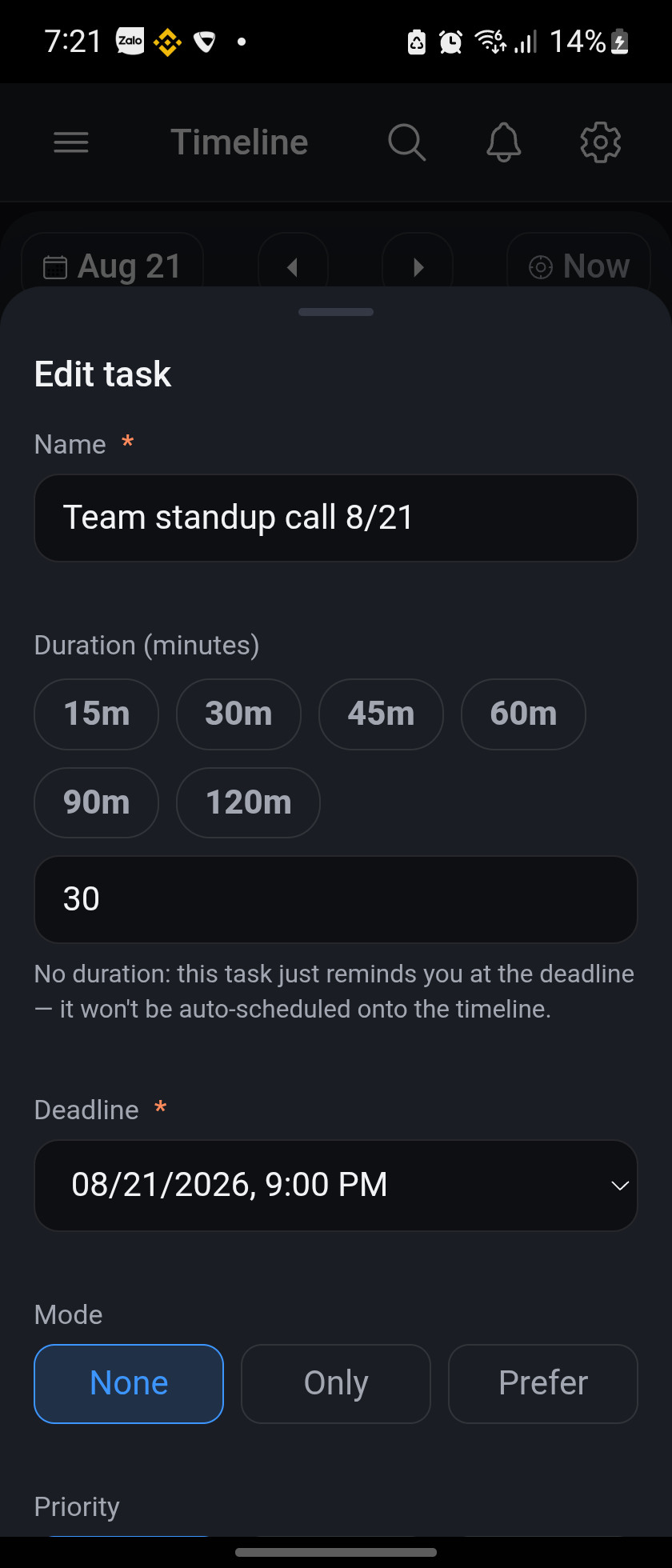
Edit task — duration, deadline & Mode
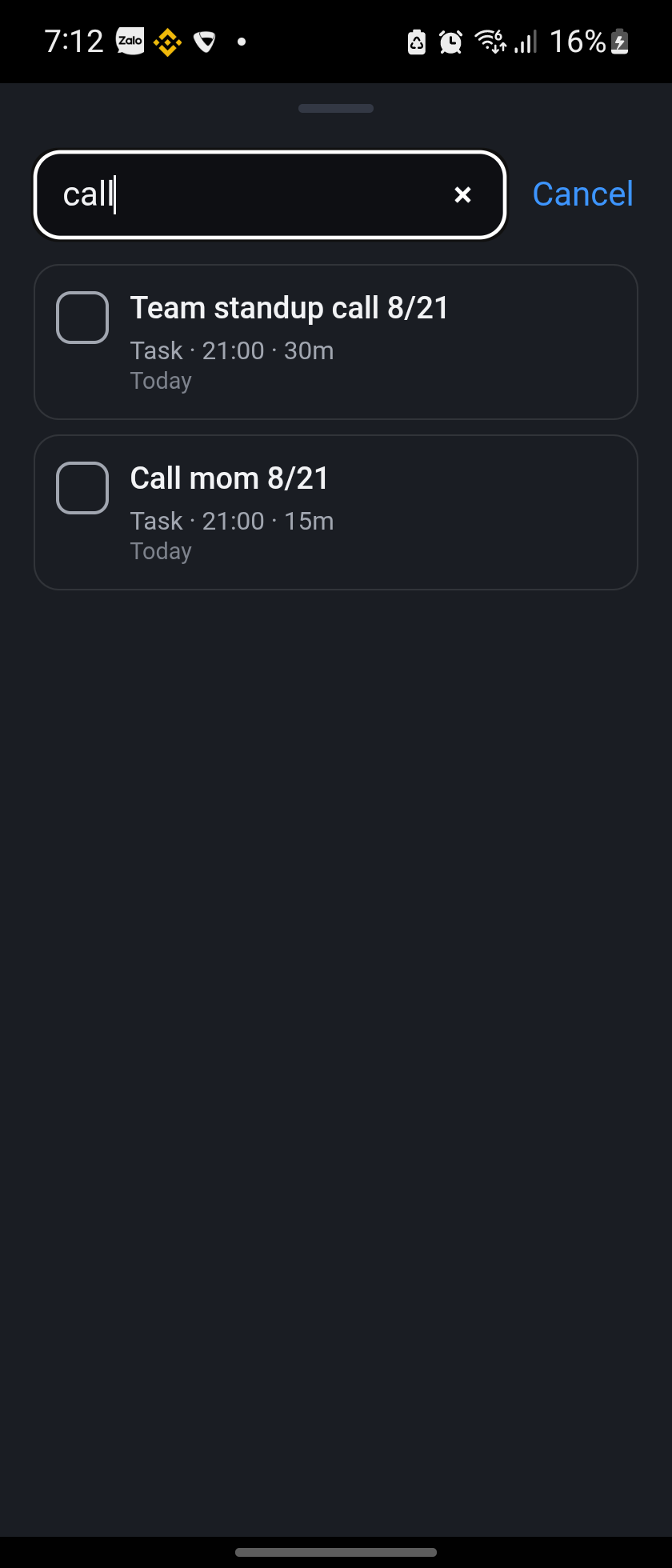
Search — find any task instantly
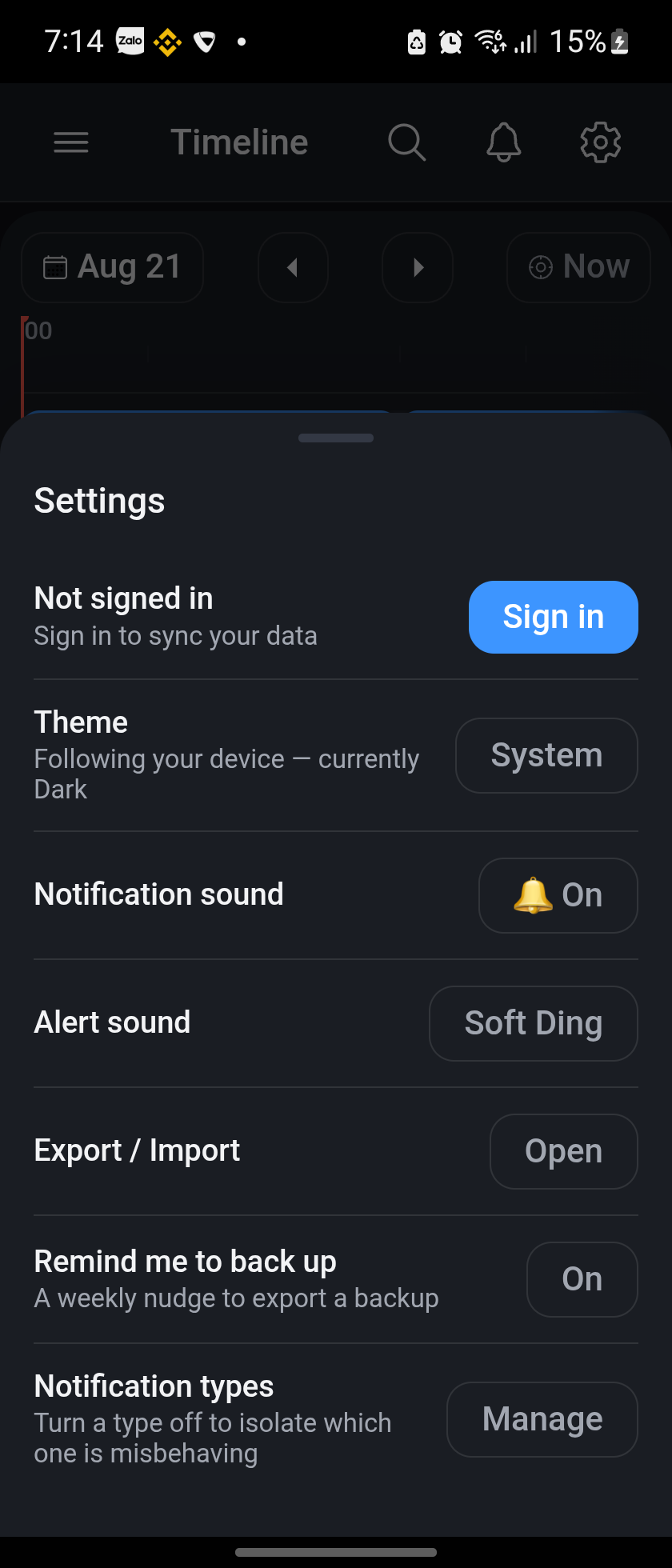
Settings — theme, sounds, backup & export
The rest of the toolkit
Home-screen widgets
Today's tasks, Now/Next, Habits, Notes, Quick Add, and a Momentum widget — glance at your day without opening the app.
Reminders that actually fire
Exact-time alarms and full-screen reminder popups for deadlines and habits, built to survive Android's battery optimization instead of getting silently delayed.
Same plan, every device
Sign in with Google and your tasks, habits, and notes sync in real time between your phone and the web app — or skip sign-in and keep everything local to your device.
Your data, your rules
No ads, no tracking SDKs, no advertising ID. Delete your account and every byte associated with it, in one tap, any time.
Three steps, then Magnet takes over
Say what you need
Type or speak a task in plain language — "team sync tomorrow 3pm 30min #work."
Magnet finds the spot
Weighing priority, deadline pressure, and what's already booked, it's placed on your timeline with a reason you can see.
Habits & Stats keep you honest
Streaks, a daily check-in ring, and a weekly Momentum score track how consistently you actually follow through.
Good questions
Yes — the timeline, AI-assisted capture, habits, notes, and stats are free to use, with or without an account.
Magnet is in Early Access. Premium features are still being built — the first 1,000 people to install the app get every Premium feature free for life, the moment it ships. No credit card, no trial period, nothing to cancel.
No. Magnet has no advertising SDK, no analytics or crash-tracking SDK, and no advertising ID. Your data is used only to run the app for you.
No — Magnet works fully offline as a guest, stored only on your device. Sign in with Google if you want your data to sync across devices.
A calendar just holds whatever time you tell it. Magnet weighs priority, deadline pressure, and what's already on your timeline, places the task for you, and shows its reasoning — with habits, notes, and reminders living in the same place.
Yes — open Settings → Export/Import to back up or restore your workspace any time.
Magnet is available today as an Android app and as a web app, kept in sync between them when you're signed in.